Built for the Body.
Codencio quietly handles the planning, the projection, the scheduling, the email, the kids check-in — the work behind the work — so your team can spend Sunday morning with people, not with software.
The software gets out of the way.
Every job below used to live in its own tool, with its own login and its own bill. Codencio quietly does them all in the background so your people can do the actual work of the Church. Tap any to read the details.
Tap a feature to read the details below.
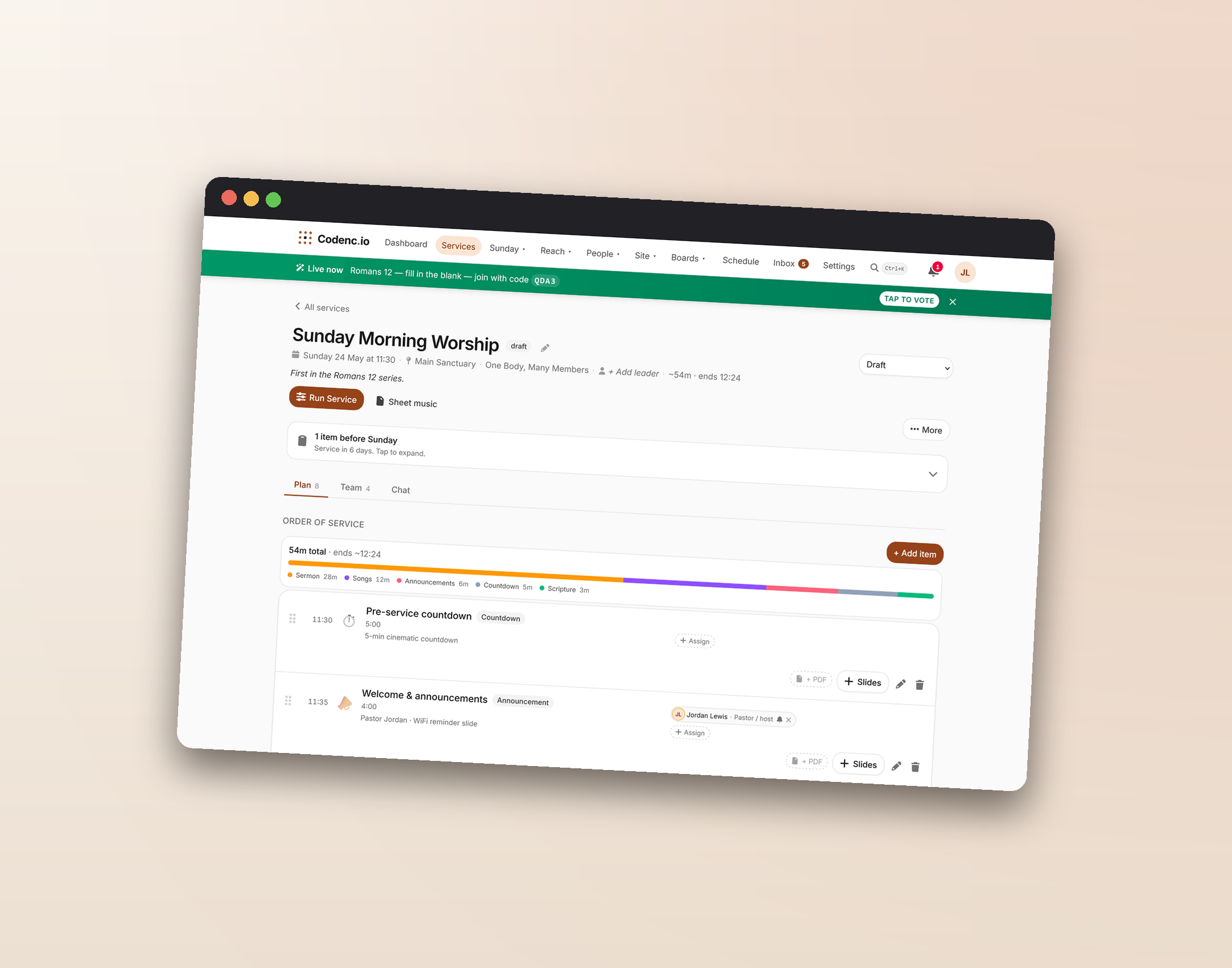
The whole week, on one page.
Build the order of service in the same editor your volunteers see. Reorder by drag, assign by role, attach decks and PDFs to plan items. Confirmations come back in real time.
- Sermon Planner — write the message in rich-text sections, turn any section into a slide whose speaker notes stay linked, and preach from the speaker view.
- Reusable templates with
{date:short}interpolation so "Sunday Morning" auto-becomes "May 17 — Sunday Morning." - Auto-rostered team chat for the service plus DMs for everyone else, with unread badges.
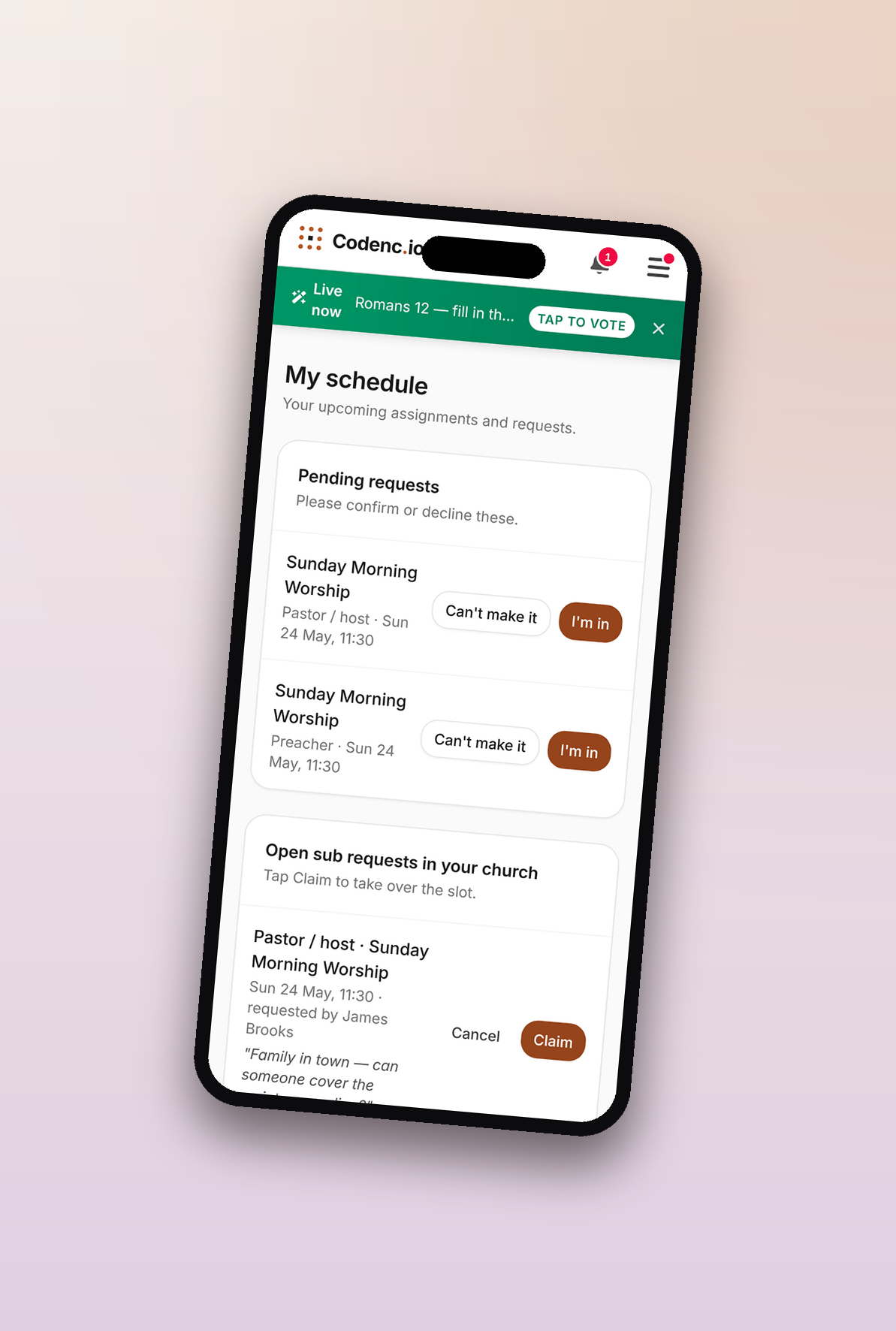
- iCal calendar feed volunteers subscribe to from Google / Apple / Outlook.
- Per-service runtime preview so you know if the sermon needs to be 30 or 28 minutes before the service starts.
Sunday morning at Grace Community. Drag to reorder · attach decks · confirm by phone.
Every screen, perfectly in sync.
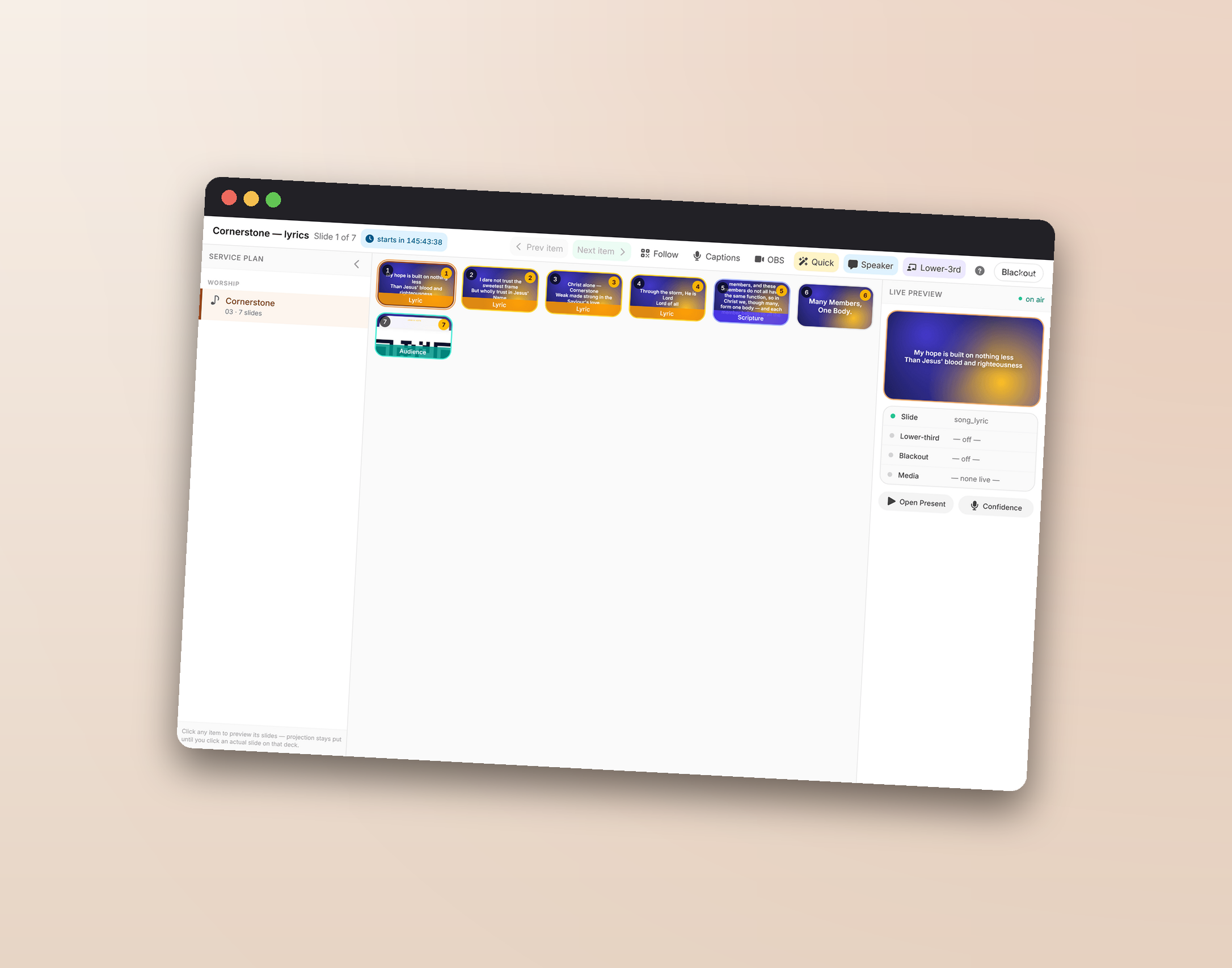
One operator console controls the projector, the confidence monitor, the band's sheet music, and the live- stream embed. Hit a key, and every screen catches up in about a tenth of a second.
- In-browser slide editor shaped like PowerPoint — drag, resize, layer image + text overlays; import existing .pptx decks.
- Confidence + operator + speaker modes for stage / booth / podium — pick the surface from one launcher.
- Synchronized PDF sheet music for the band with Bluetooth footswitch + per-device "look ahead on my own" toggle.
- OBS / vMix embed with audio so streaming gets exactly what the projector shows — no screenshare jank.
- One-tap lower-thirds + live captions + 300+ CC0 video backdrops in the library.
- The internet can die mid-service. Your screens won't. The free Local Mirror installs on the booth laptop in one click, lives in the system tray, and pairs to your church with a 6-character code — no passwords typed at the booth. Every screen on the Wi-Fi finds it by itself; slides, blackout, music and video keep working through an outage and sync back when the connection returns.
Booth view. Click a thumbnail · advance with → · ~100ms sync to every screen.
Send the email. Take the cards. Hear the prayers.
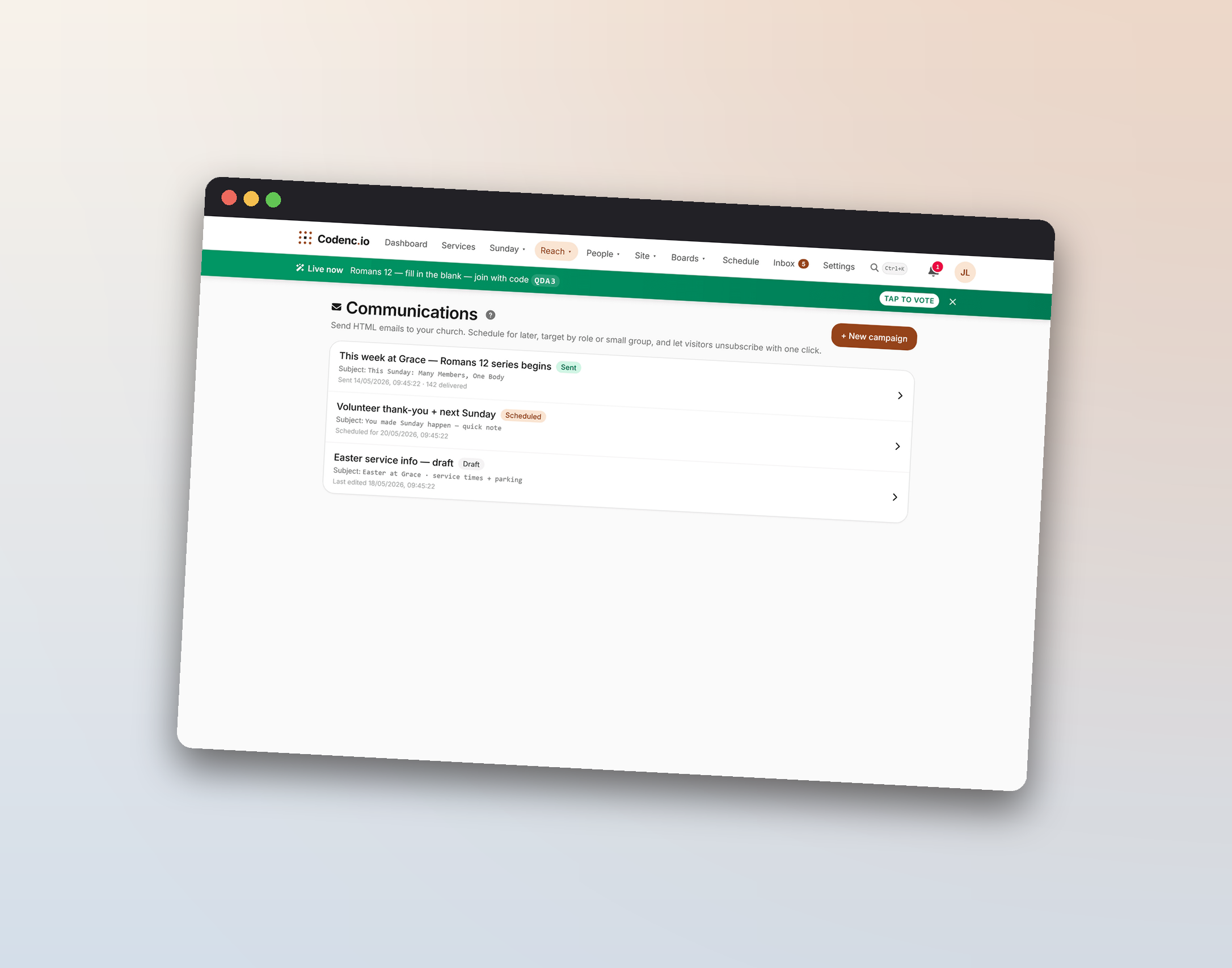
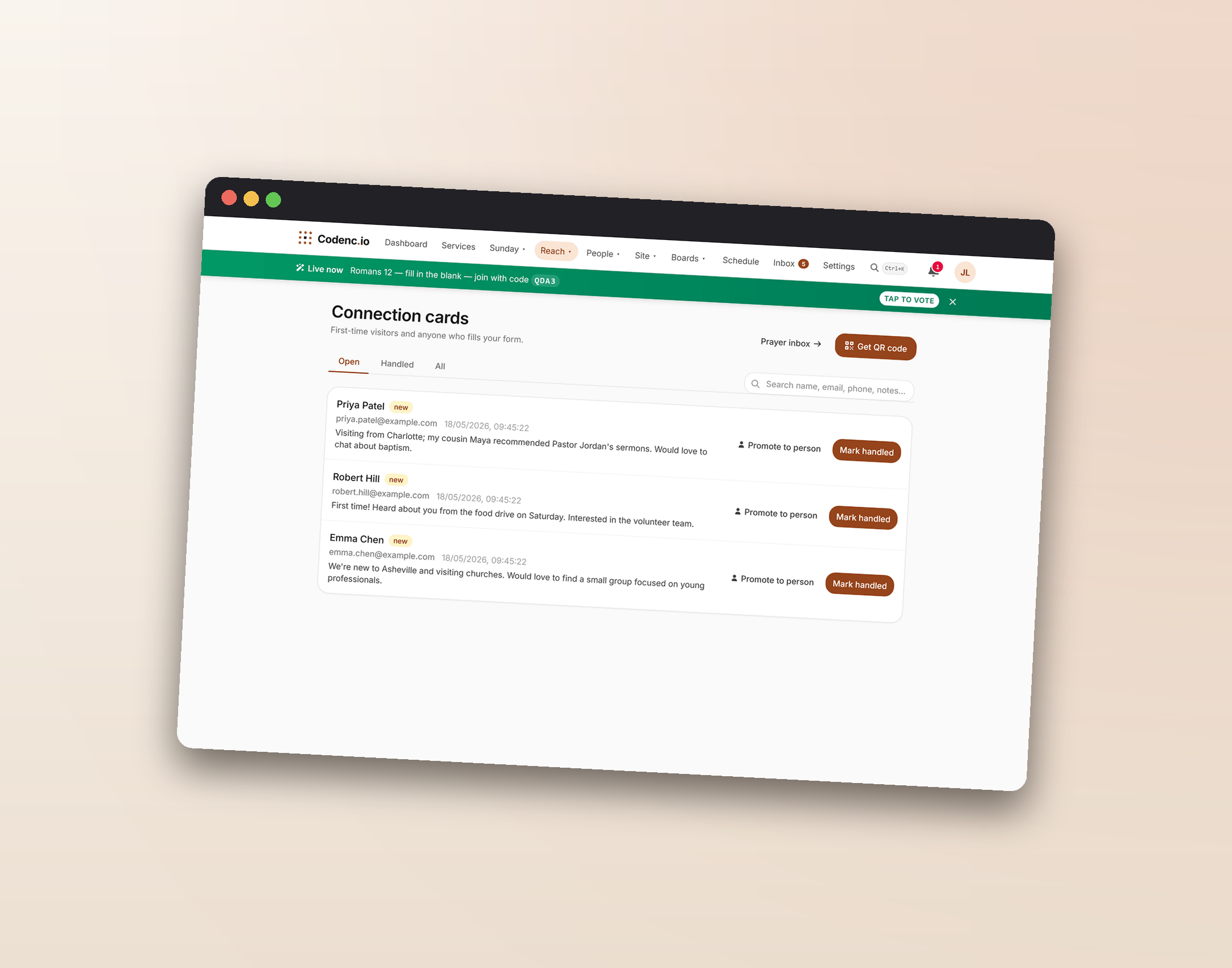
Every channel a small church actually uses for member care and visitor follow-up — email, public forms, prayer requests, connection cards — lands in one inbox a volunteer can actually keep up with.
- HTML email broadcasts with audience targeting, Saturday-at-4pm scheduling, RFC 8058 one-click unsubscribe, hard-bounce auto-suppression.
- Connection cards from public QR codes — admin inbox, promote-to-person, board card auto-created for follow-up.
- Anonymous prayer wall with moderation + projection mode + real-time hand-raise from /follow.
- Persistent team channels (Slack-lite,
role-gated) for
#worship-team/#greeters/#leadership. - Public forms with multi-page, conditional fields, daily quota, e-signature.
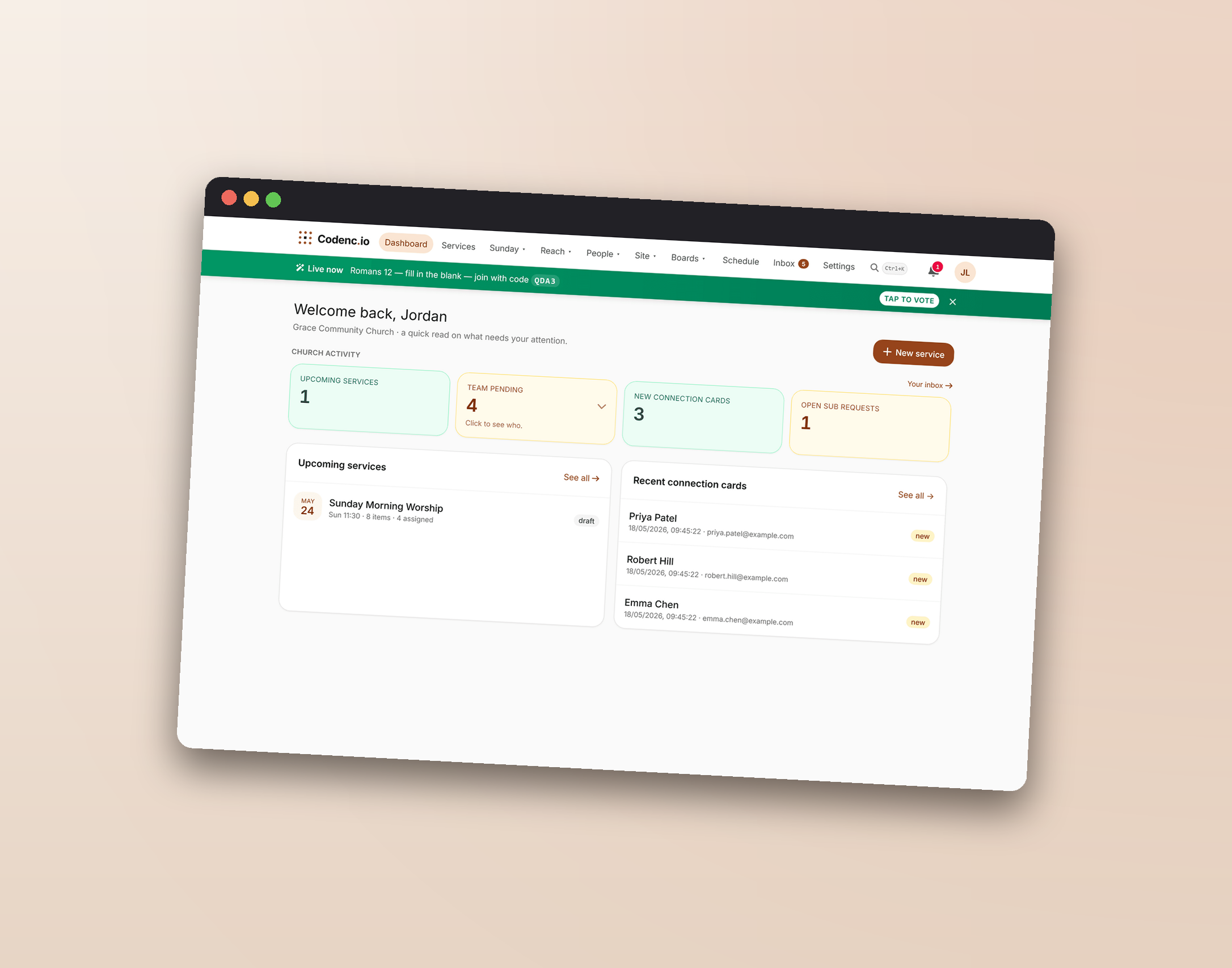
The booth tech's dashboard. Connect-card inbox + activity at a glance.
Care for the Body all week long.
Discipleship doesn't happen on Sunday morning. It happens in small groups, follow-ups, pastoral notes, and the quiet rhythms between services. Codencio holds the connective tissue.
- People + households with parent-child relationships, role-based access, Promote-to-Person from a connection card.
- Photo directory with three-tier opt-in (none / staff / members) so scrapers don't get a roster.
- Discipleship pathways — define membership / baptism / leadership tracks; see each person's progress.
- Pastoral-care notes with per-note ACL + audit-on-read for confidential entries.
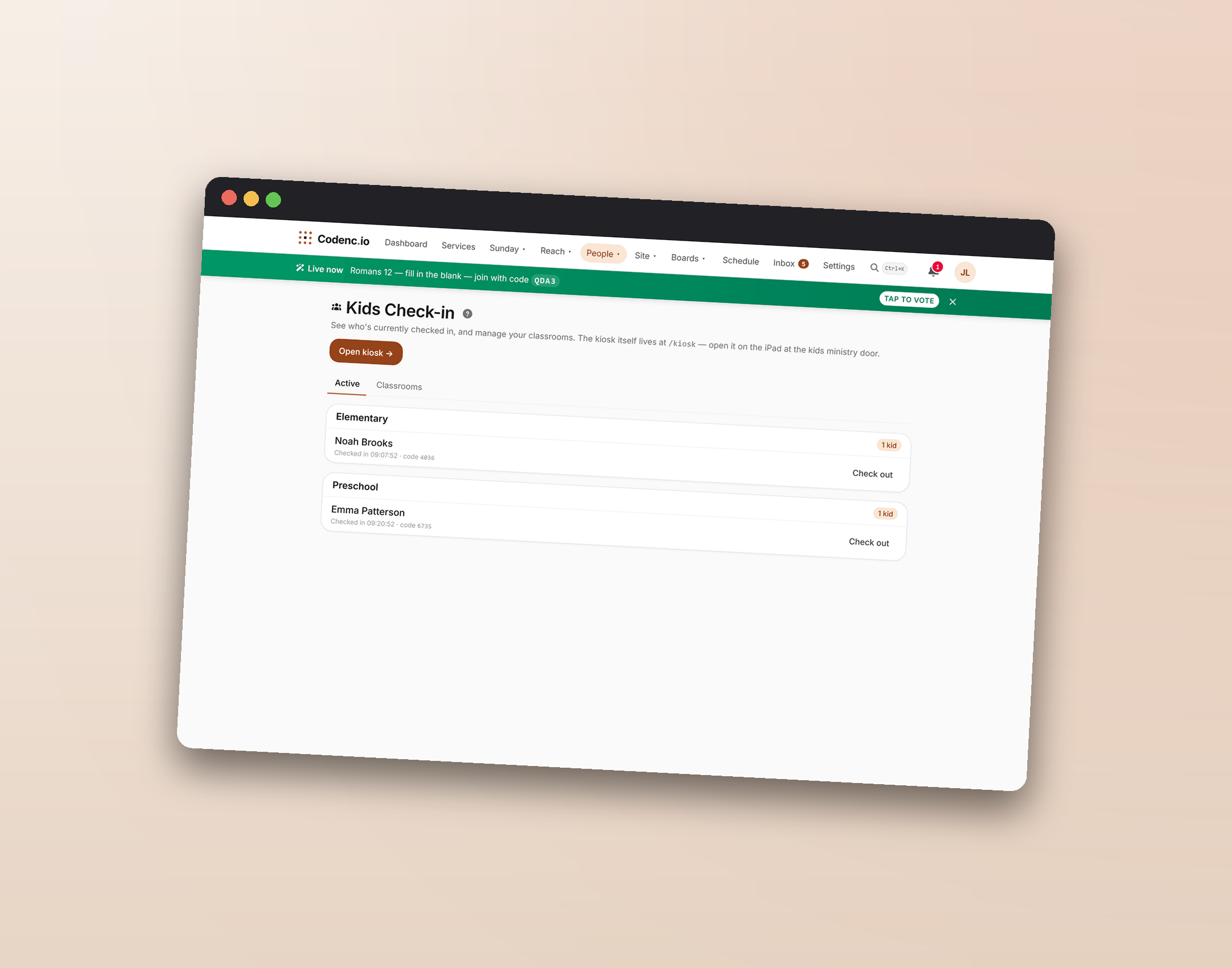
- Kids check-in — kiosk, parent search, classroom rosters, browser-print tags with allergy callouts, security-code pickup pair.
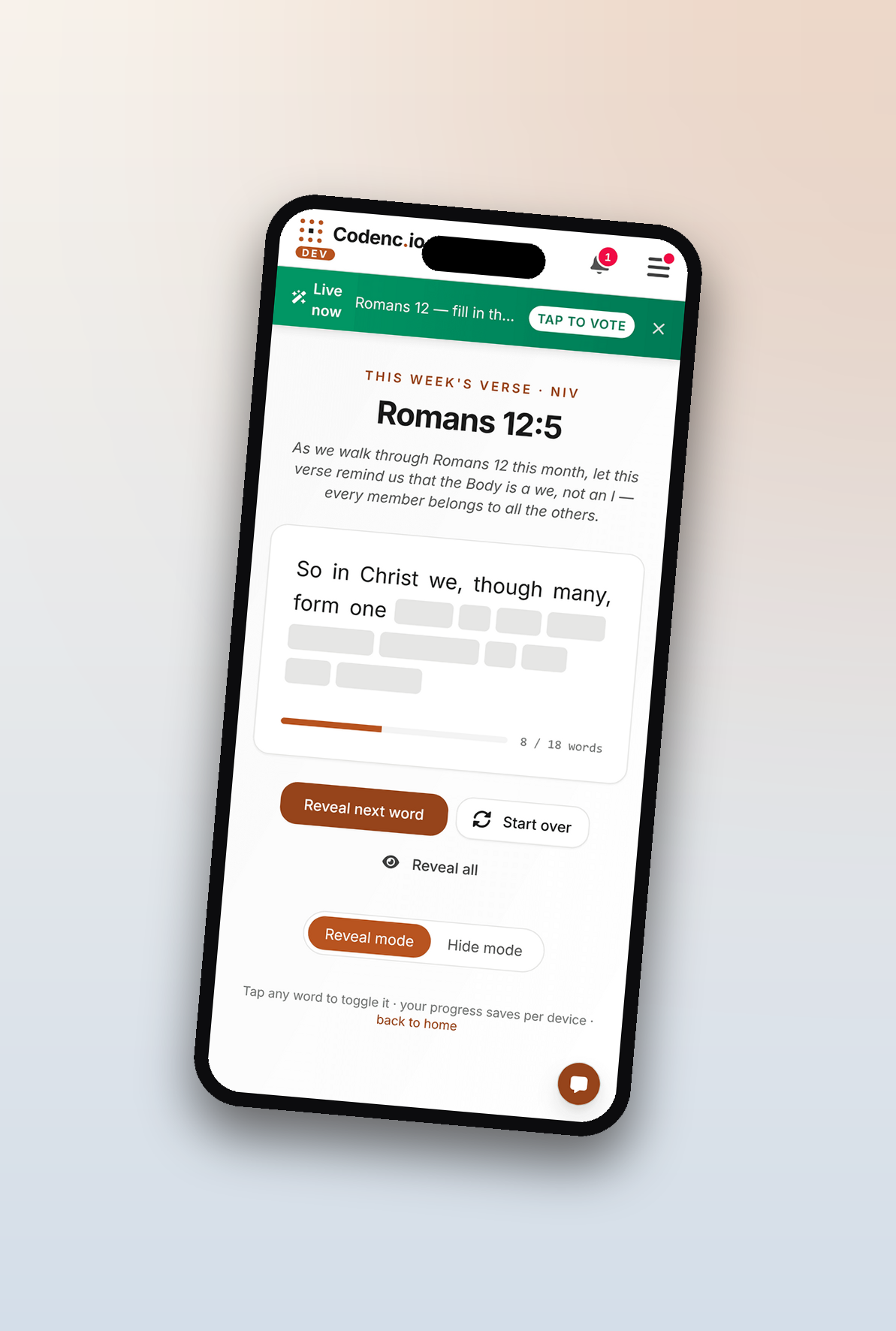
- Memory verse of the week — pick a passage; members get a daily push reminder + a word-by-word reveal interface to help memorize.
Mid-session on a member's phone. Tap to reveal the next word. Quiet daily reminder. Progress saves per device.
Your church website, built in.
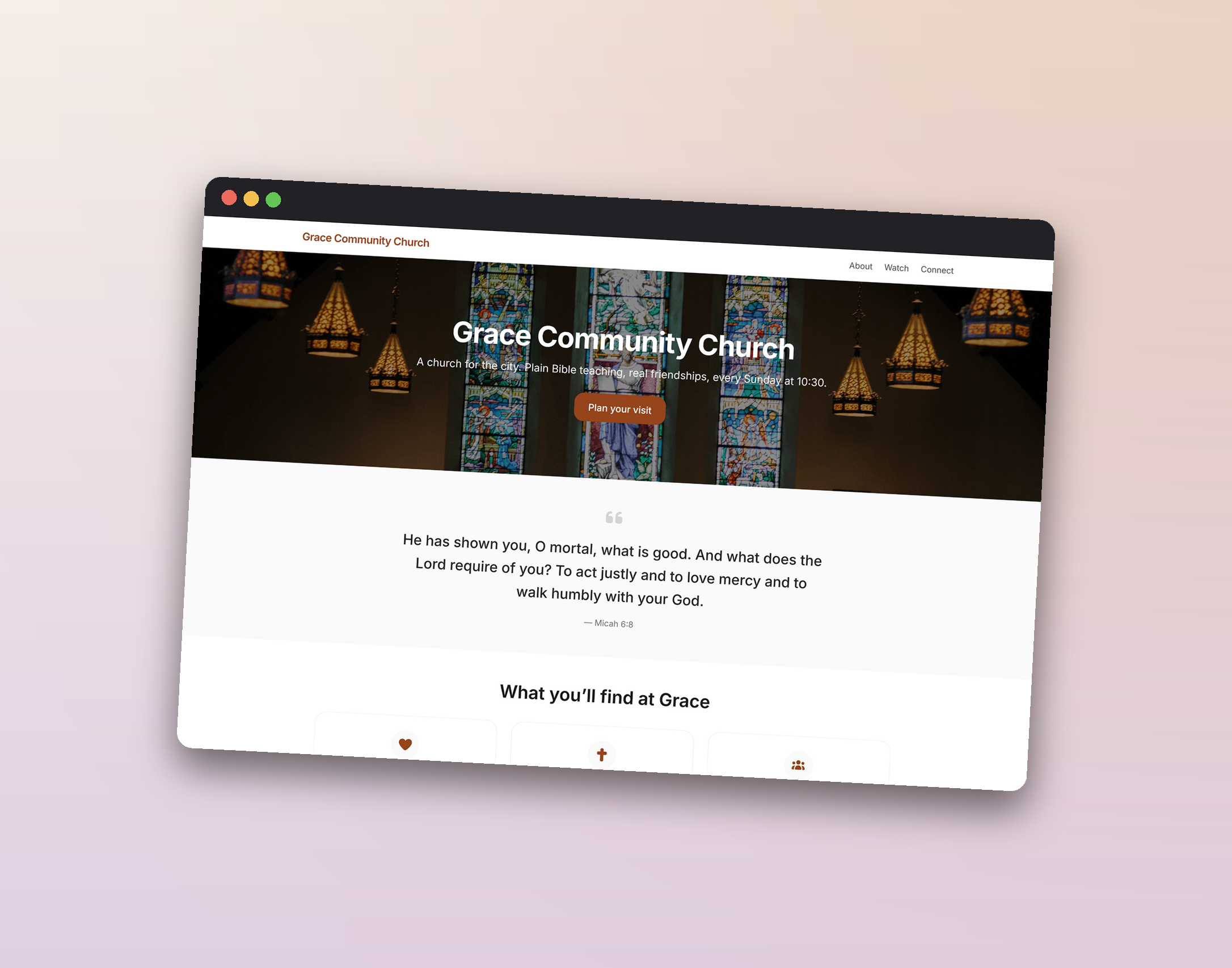
Multi-page site — Home, About, Watch, Give, Connect, Events, Contact — built into the same admin you use for services. Service times pull from your planner. One bill, one login.
- Auto-SEO + JSON-LD church schema so Google understands what your site is.
- Custom domain with auto-SSL — Let's Encrypt cert issues on first request, renews automatically.
- Image library with approval queue — staff submit; admin approves before publish.
- Public events with RSVP — audience rules + signup forms + member-feed visibility.
- Public About page with staff "Contact Pastor Mike" relay (no scraped email exposure).
A real website built with Codencio. Custom domain, your branding, fully editable by your staff — no separate hosting bill, no plugin updates. Browse it live →
Every voice in the room — including the couch.
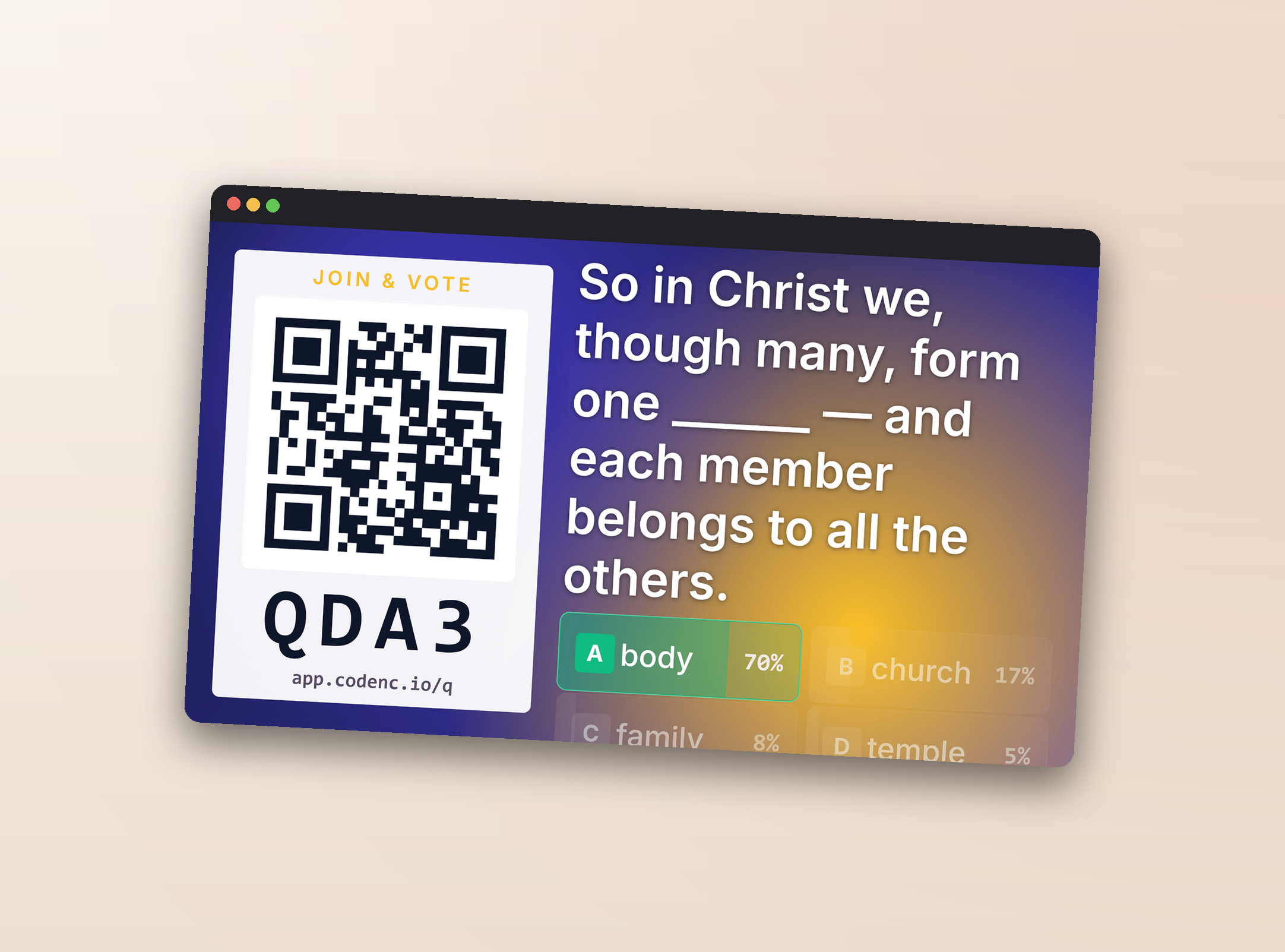
Drop an audience prompt into a deck and the projector grows a QR code. Phones scan — from the pews, the overflow room, the livestream couch at home — and join the moment. Votes show live. The right answer flashes when the timer hits zero.
- Quiz · multi-choice with auto-reveal — perfect for scripture memory.
- Poll · multi-choice, no right answer — take the room's temperature.
- Numeric · number input, shows avg / min / max — pledge counts, ratings, estimates.
- Word cloud · free text rendered live (members-only — auth gate at the API layer).
- Q&A wall · free text with a moderation queue so nothing reaches the projector without approval.
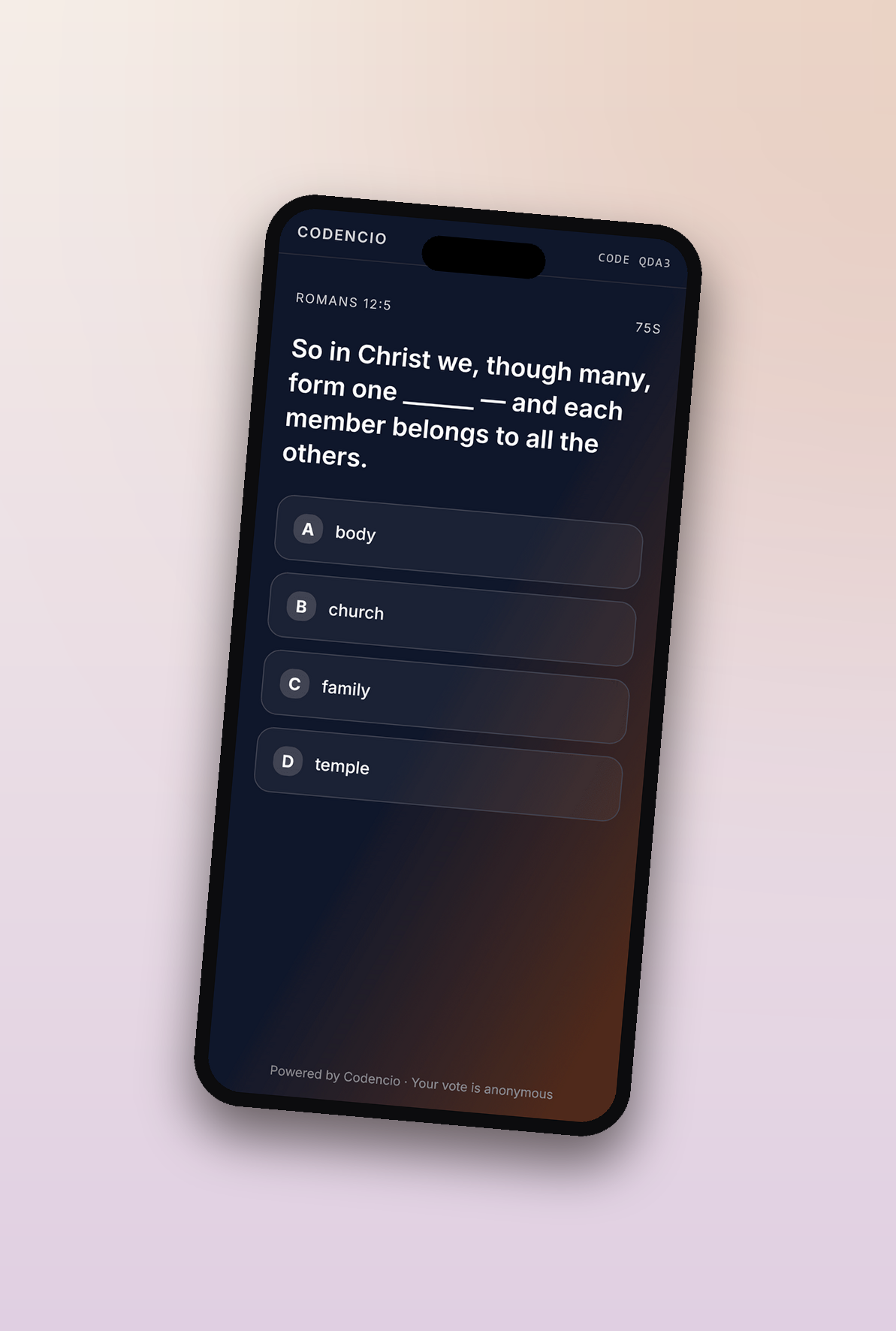
Projector + phone, mid-vote. 140 votes in; reveal flashes the correct answer at zero.
Less stack to manage. More time with your people.
Most small churches we talk to are juggling six or seven separate tools across planning, projection, email, forms, check-in, directory, and a website — each with its own login, its own bill, its own quirks. Somebody on staff has to keep it all stitched together. That somebody could be doing ministry instead.
What you get back
~$1,300/year, plus the hours typical 200-attendee church on the cheapest tier of every separate tool — the time savings aren't on the invoice, but staff feel them firstCodencio doesn't try to do everything (giving stays with your processor; payroll stays with whoever runs your payroll). The claim: cover the day-to-day work of a sub-300 congregation in one stack, so your team's attention is on the people, not the platform. See the full feature list.
Three tiers. Priced by size. Scout's honor.
No per-volunteer fees. No annual contract. No surprise hops to a higher tier when you cross some volunteer count. Pick the tier that matches your congregation on a typical Sunday.
Small
For churches under 50 on a typical Sunday. Every feature, no caps.
Mid
For 50–149. Priority support and an annual billing option.
Large
For 150–299. Onboarding session and phone support.
300+ or multi-campus? Talk to me directly.
Try it on a Wednesday. Run it on Sunday.
The demo gives you a fresh church and full admin access for 30 minutes — no signup, no card. Build a service, run the projector, kick off an audience quiz. If it doesn't replace three things in your stack, you can stop reading.